Case study · Personal project · Coming soon to Steam
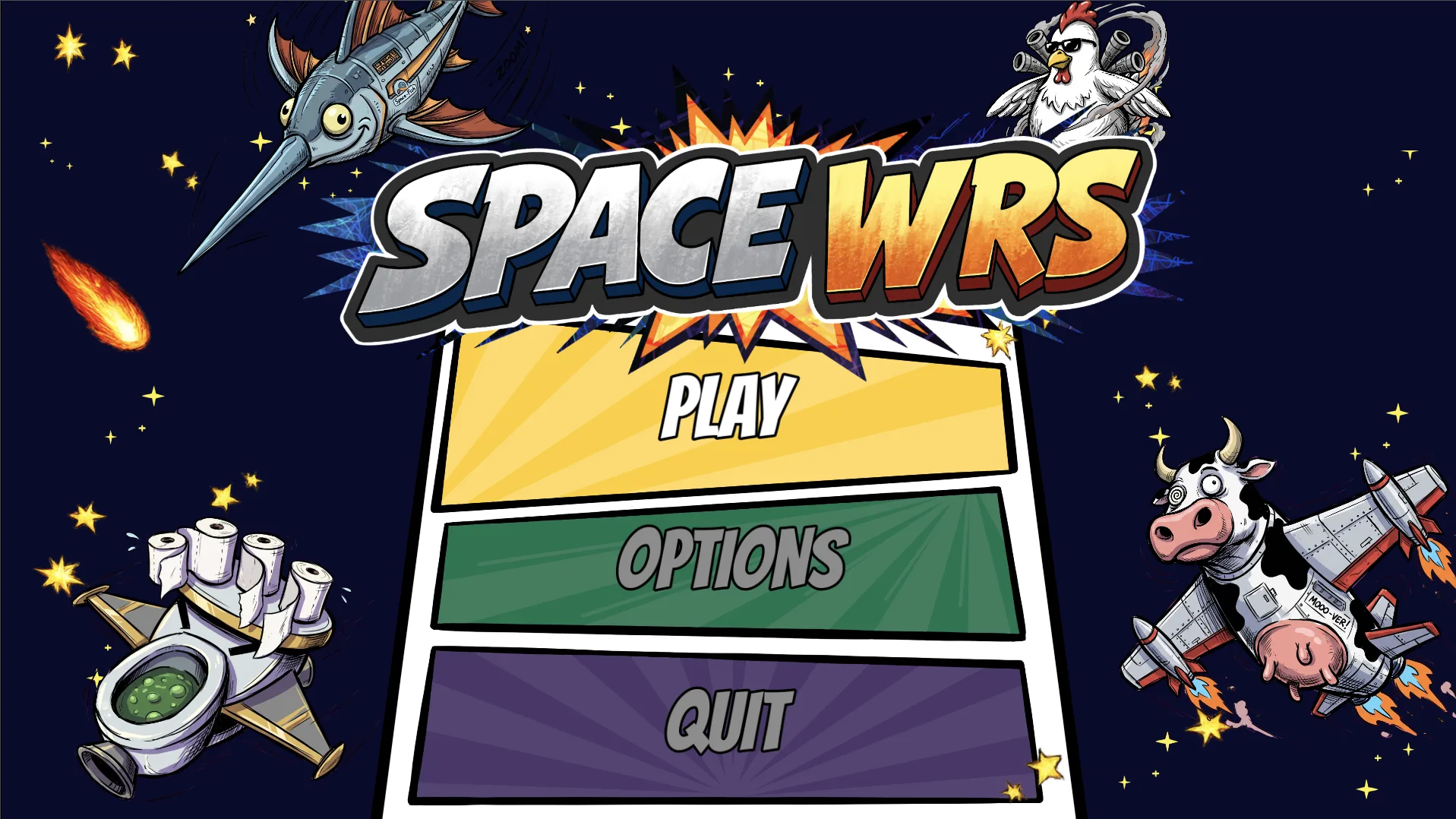
SpaceWRS: a 4-player couch space brawler
A couch party game for 1–4 players on one screen, with AI bots in the empty seats. Every pilot flies a fleet of hand-drawn ships, each with its own abilities and movement style. I did the game design, UX, UI and art, and wrote the code with Claude Code.
Chaotic on screen, clear in the menus
SpaceWRS is built for one couch and one screen: friends grab gamepads, everyone picks a fleet, and the last pilot flying wins. Matches are short and loud. The design challenge was the opposite of Probuild: the chaos is the fun, so everything around it has to be easy to read in a second, by four people at once, from across the room.
What players do, again and again
1 · Build a fleet
Spend credits on ships, each with its own HP, mana, speed, abilities and movement style.
2 · Brawl
Fight in an arena with hazards like black holes. When a ship is destroyed, the next one in your fleet launches.
3 · Level up
Ships level up to 10 and players to 25, which unlocks new ships and hazards for the next match.
Designing the interface
Three modes, one sentence each
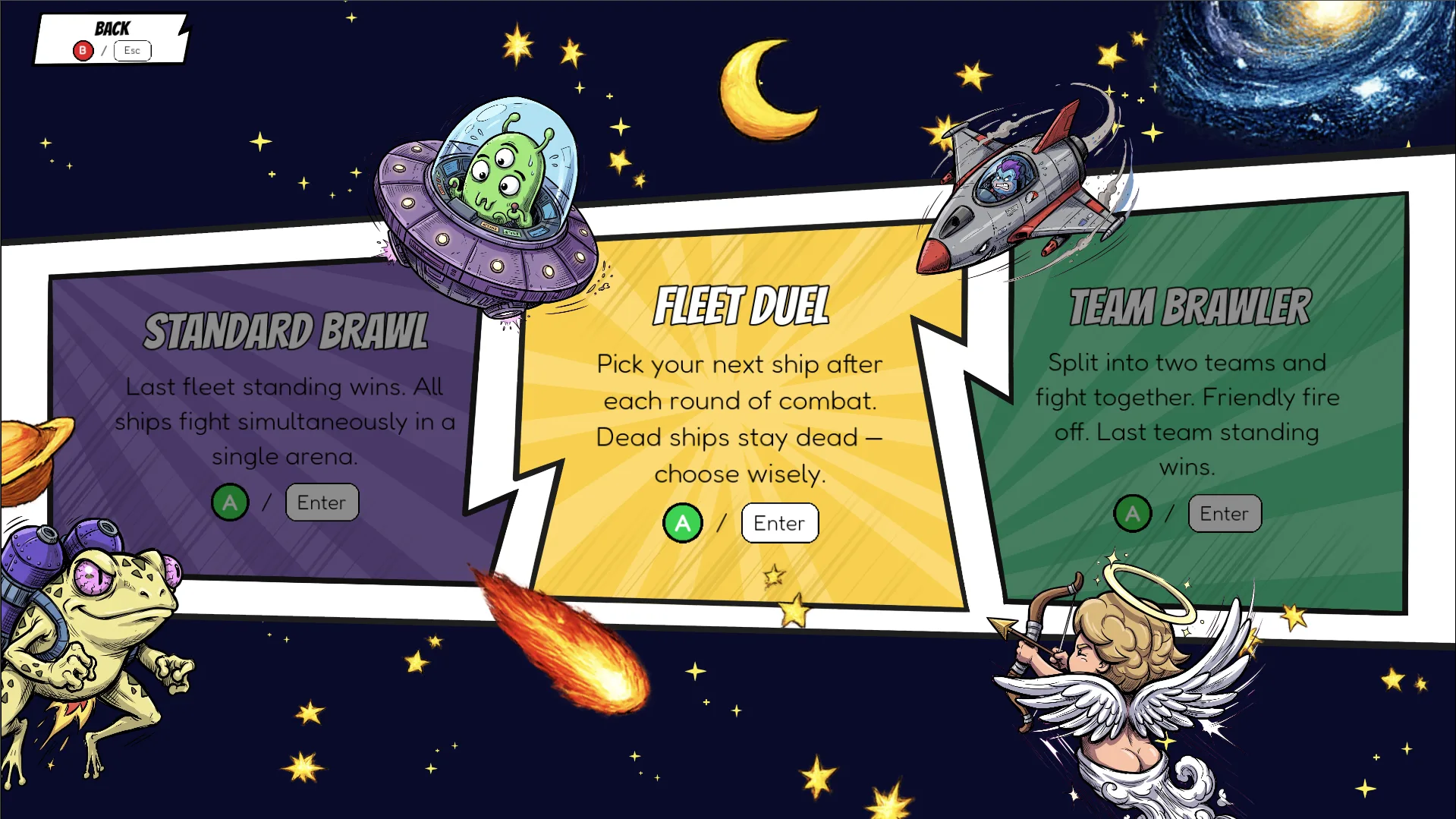
Party games are picked in seconds, so every mode is a single panel with its rule in one plain sentence: last fleet standing, pick your next ship each round, or two teams with friendly fire off.
Each panel has its own color, and that color comes back in the buttons and menus later.
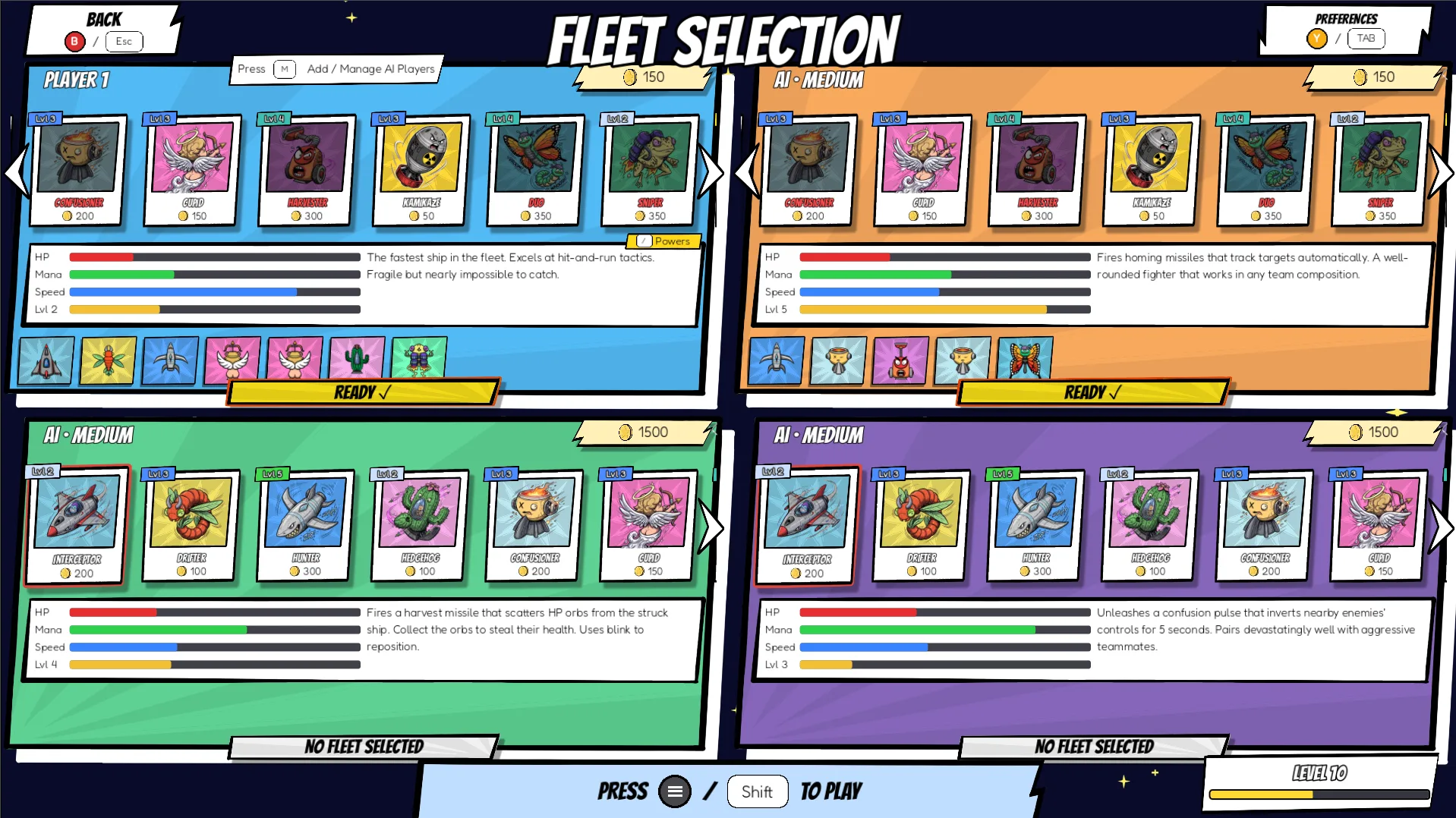
A lobby where four people shop at once
The screen is split into four colored quadrants, so every player has their own shop, stats and fleet, and nobody waits for a shared cursor.
Stat bars (HP, mana, speed) and a one-line role ("fast hit-and-run", "steals health") make it possible to compare ships without reading numbers. AI players and their difficulty are labeled right in the panel header.
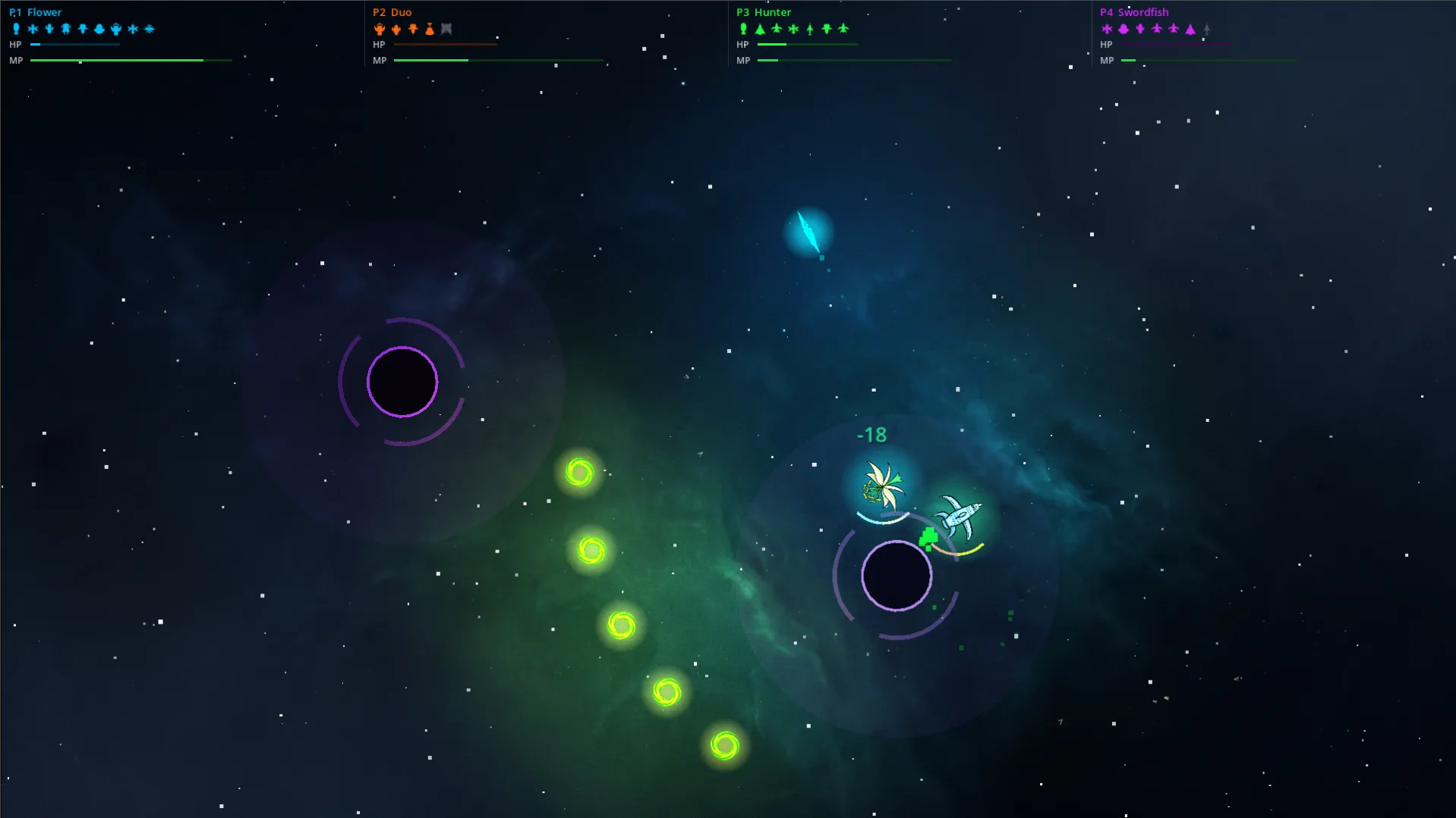
A HUD four people can read at a glance
The arena has to stay clear, so all player info sits in a thin strip across the top, one column per player in their color. The ship icons double as a fleet counter: destroyed ships turn grey.
Damage numbers pop up over the ship that was hit, so you see the effect where your eyes already are.
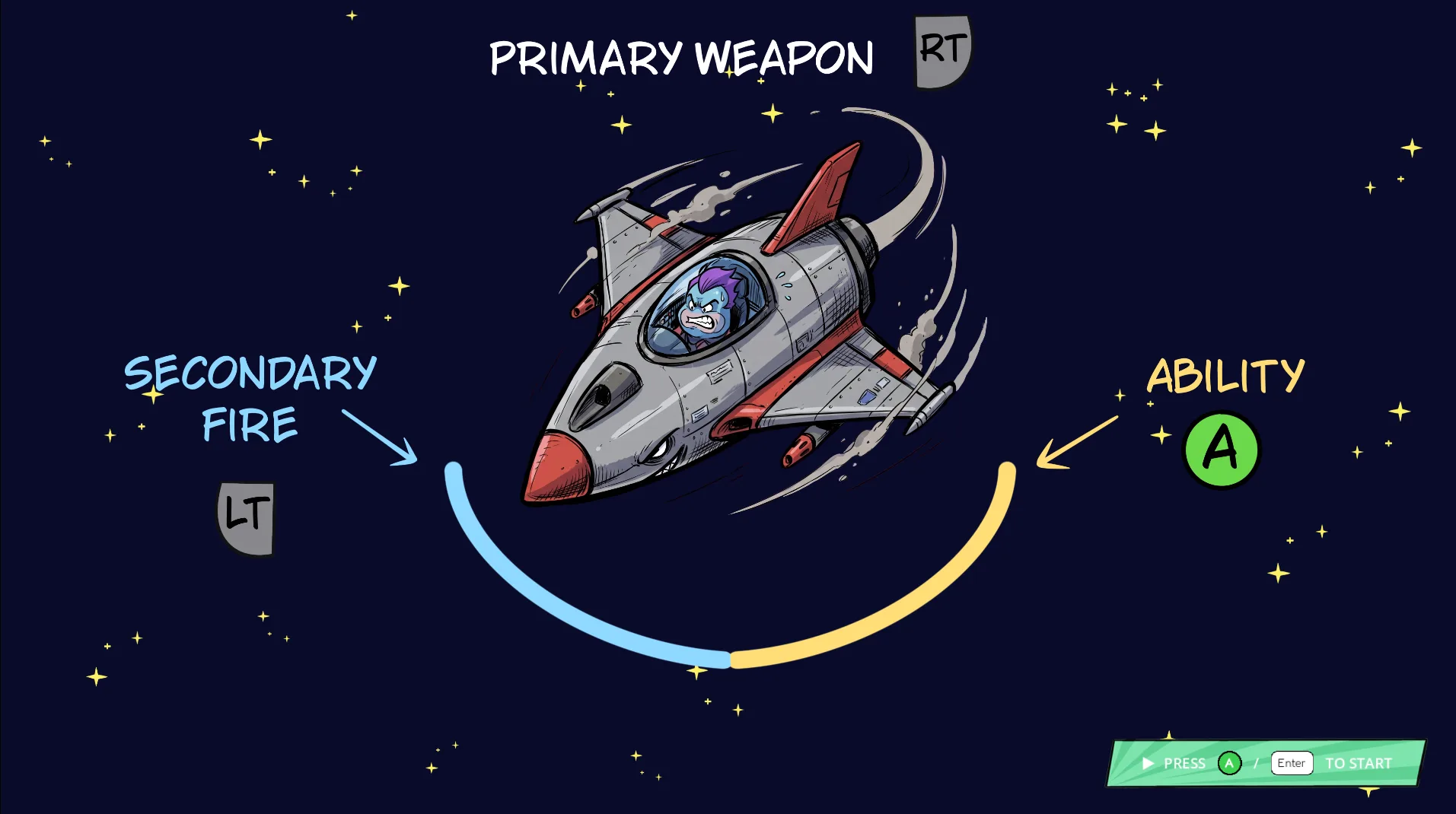
Teach the controls while it loads
Instead of a tutorial level, the loading screen shows a ship with its three controls drawn around it. The blue and yellow arcs are the same meters players see under their ship in the match, so the first fight already feels familiar.
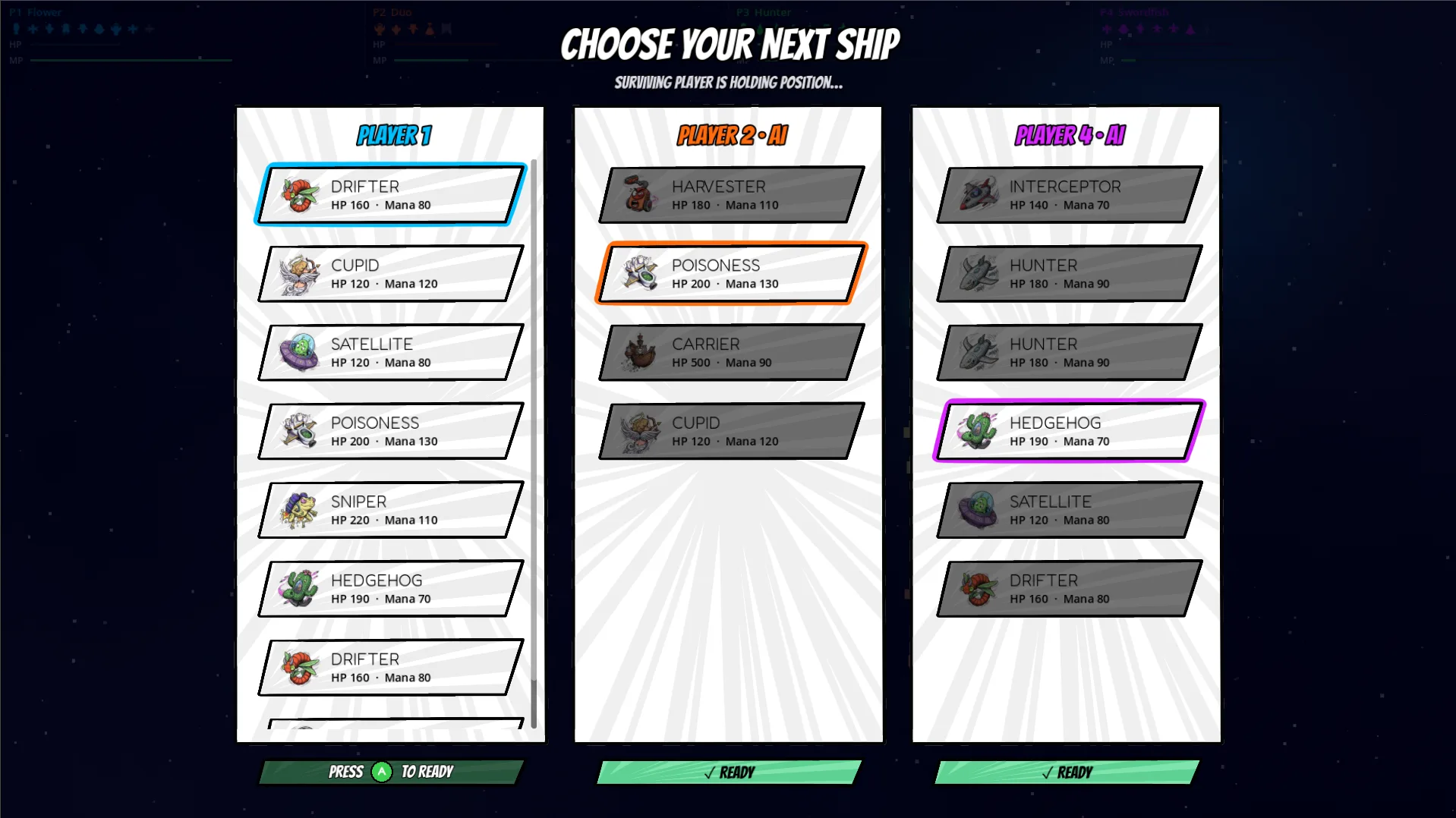
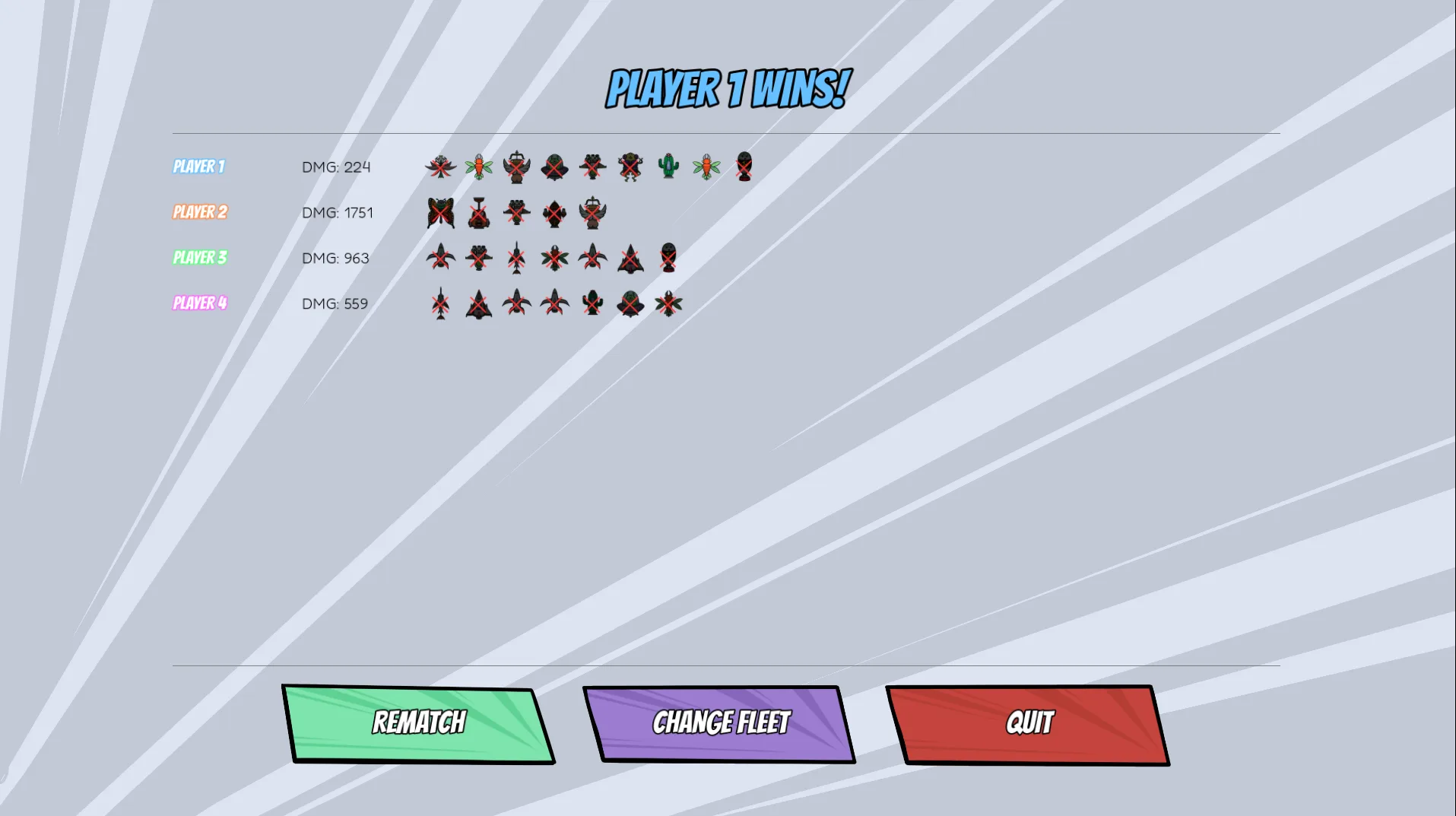
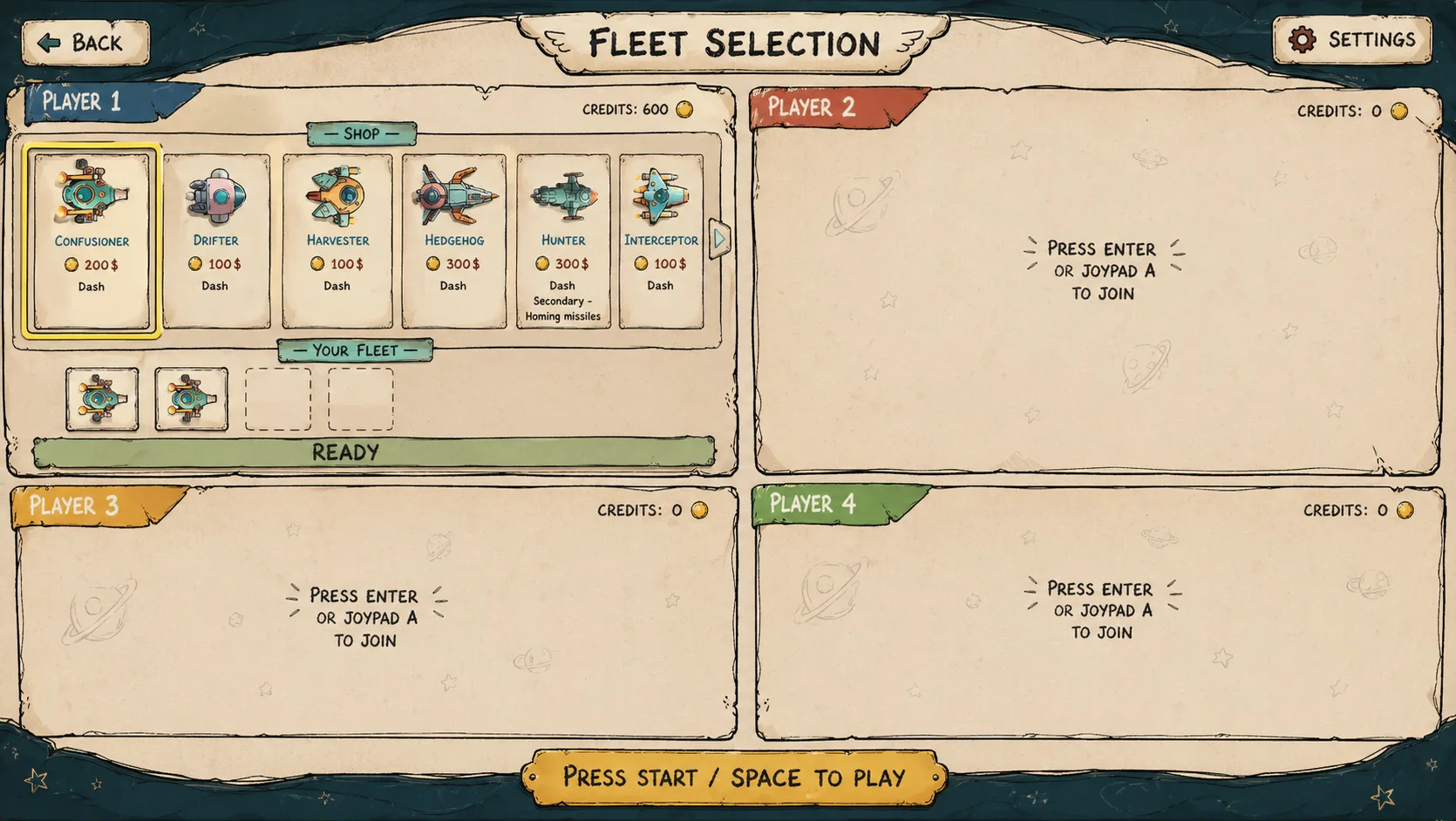
From AI concept to final style
I used generative AI early on to explore layout and mood quickly. The first fleet screen concept was a parchment, storybook style. In the end I went with a bold comic style: thick outlines, strong player colors and slanted panels. It reads better from the couch and gives each player an obvious color.
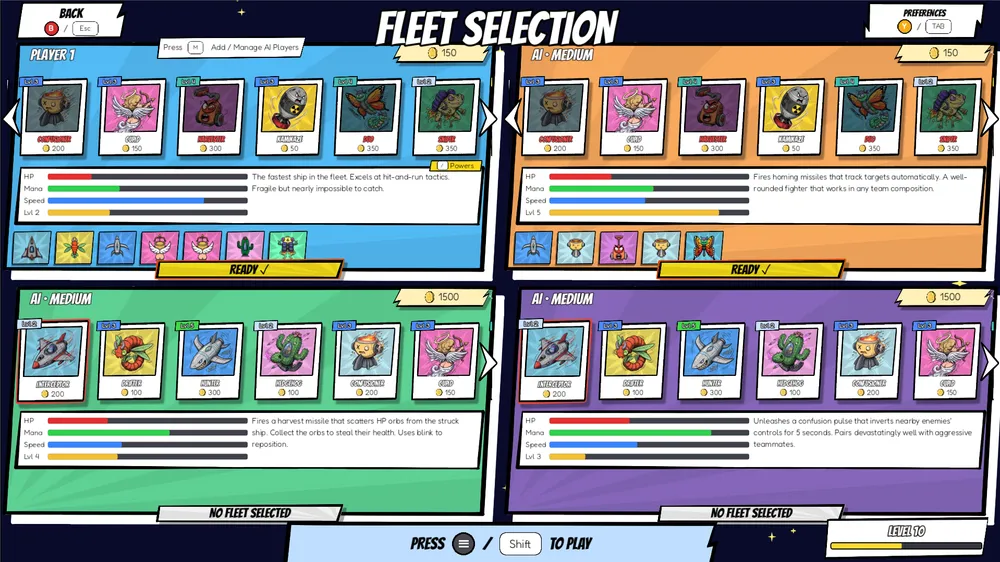
Building it with Claude Code
I developed the game with Claude Code. As the designer I could turn a decision straight into a working build, play it the same day and change it again, without a handoff in between.
- Local multiplayer: up to four players with gamepads or keyboard, each joining from their own quadrant.
- AI opponents: bots with difficulty levels fill empty seats, so the game works with one player too.
- Progression: player levels up to 25, ship levels up to 10, and unlockable ships and hazards.
- Ships: every ship has unique abilities and its own movement style, balanced through HP, mana and speed.
Coming soon to Steam
SpaceWRS is in its final stage before release on Steam.
What I learned: building the screens I designed changed how I design them. When each one cost me real build time, I cut everything that didn't help the player, and the menus got simpler and faster.